

Turn plain screenshots into polished marketing visuals
Add backgrounds, frames, padding, shadows, and 3D tilt to screenshots, then export crisp 2x/3x PNGs for Product Hunt, App Store, and social posts — entirely in your browser.
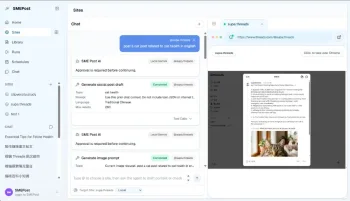
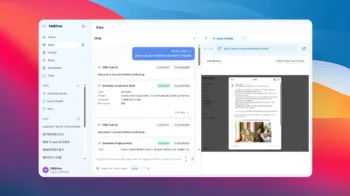
Drag & drop, paste from clipboard, or click to choose a PNG, JPG, or WebP image.
Tip: press Ctrl/Cmd + V to paste a screenshot directly.
Everything runs locally in your browser. Your screenshots are never uploaded to a server.
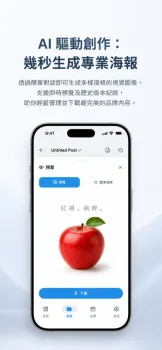
Create App Store promo screenshots that convert
Open App Store GeneratorHow to beautify your screenshot
Go from a plain screenshot to a polished product visual in four quick steps.
Upload a screenshot
Drop, paste, or pick any PNG, JPG, or WebP image. It stays on your device.
Add a background
Place your screenshot on a high-resolution wallpaper or your own custom solid color.
Adjust depth & focus
Scale, zoom, shift, tilt in 3D, add shadows, and blur sensitive details.
Download PNG
Export a crisp 2x or 3x PNG, ready for social posts, docs, and landing pages.
Everything you need for share-ready screenshots
A focused, privacy-first beautifier that renders entirely in your browser.
Studio-quality backgrounds
Drop your screenshot onto high-resolution wallpapers or any custom solid color, and overlay your own brand logo for a consistent, on-brand look.
Precise scale, zoom & framing
Scale the whole shot, zoom into the exact UI element, nudge its position, and fine-tune padding and corner radius for the perfect composition.
3D depth & layered shadows
Tilt the screenshot in 3D space, then layer floating drop-shadow presets for a premium, dimensional feel.
Privacy masking & crisp export
Blur or mosaic sensitive data like API keys and emails, then export at 2x or 3x device-pixel-ratio so every line stays razor sharp.