
Check if your screenshot fits App Store requirements
Upload a screenshot and check if the size fits App Store or Play Store requirements.

Upload one screenshot. PNG, JPG, JPEG, or WebP.
Tip: press Ctrl/Cmd + V to paste a screenshot directly.
Your image stays in your browser for this size check. See how we handle content in our Privacy Policy.

Create an App Store screenshot that fits
Open generatorCheck App Store screenshot size before upload
A fast local workflow for validating one screenshot at a time before you enter App Store Connect.
Upload locally
Drop a screenshot into the hero upload area. The browser reads the file dimensions without sending the image to a server.
Compare exact pixels
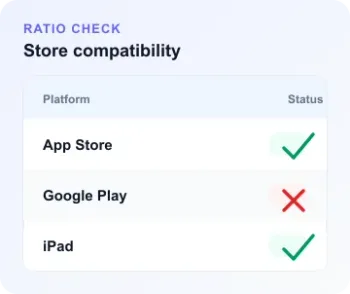
The checker compares your width, height, ratio, orientation, and file type against Apple iPhone and iPad screenshot targets.
Resize only when needed
If the ratio is close but the dimensions are wrong, use the nearest Apple target or open the App Store generator for exact PNG output.
Built for App Store screenshot dimension checks
Skip guesswork before upload. The checker tells you what matches, what needs resizing, and which store target is closest.
Exact iPhone and iPad screenshot size validation
The checker uses Apple App Store Connect screenshot dimensions for iPhone and iPad, then clearly separates exact matches from same-ratio images that still need export.
Target guidance for every common Apple display group
See whether your image maps to iPhone 6.9, 6.5, 6.3, 6.1, older iPhone sizes, or iPad 13, 12.9, 11, 10.5, and 9.7-inch screenshot groups.
Private local dimension check
The browser inspects image dimensions from a temporary preview URL. No upload, login, credits, or workspace storage is required for this validation step.