
App Store screenshot generator for exact iPhone & iPad PNGs
Upload one app screen, choose a size and style, then generate exact iPhone and iPad App Store promotional images.
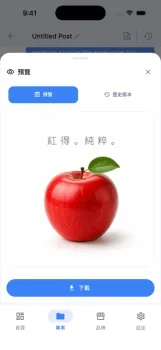
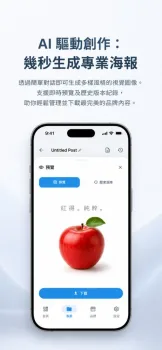
Upload one app screenshot. PNG, JPG, JPEG, or WebP.
Tip: press Ctrl/Cmd + V to paste a screenshot directly.
Uploads are processed for this generation workflow. Privacy Policy.
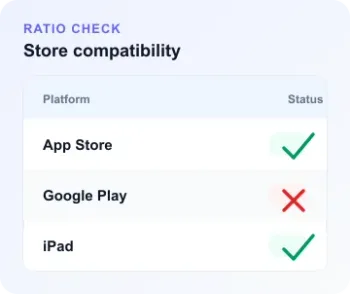
Validate exact App Store sizes before you upload
Check screenshot sizeFrom screenshot to App Store PNG
A short workflow built for one image at a time, so each App Store asset can be reviewed before export.
Upload screenshot
Start with a real screen from the feature you want to show. The file is compressed before generation.
Choose Apple size
Switch between iPhone 6.5 inch and iPad 13 inch landscape targets, then pick the exact resolution.
Generate exact PNG
GPT Image 2.5 Flare creates the promotional layout, then Sharp crops and resizes it to the selected Apple dimensions.
AI App Store image generation with gpt-image-2.5-flare
Generate App Store promo images in exact Apple sizes
Use gpt-image-2.5-flare to generate App Store promotional images from one uploaded screenshot, then export exact iPhone and iPad PNG files for App Store Connect.
Multiple languages for global App Store listings
Create AI App Store images with multilingual marketing text, including Chinese, Japanese, Korean, and English, so each localized screenshot can match your listing.
Safe crop workflow for upload-ready assets
The prompt keeps important text and screenshots in the central safe area, then the server crops and resizes the generated App Store promote image.